GhostHub Customization: Themes, Layouts, and Smarter Progress
By Ghosthub
Five color themes, a Netflix-style streaming layout, and progress tracking that actually remembers where you left off. Make GhostHub feel like yours.
Making It Personal
GhostHub was always about simplicity, but I wanted it to feel like yours too. So I added themes, a whole new layout option, and progress tracking that actually works the way you'd expect.
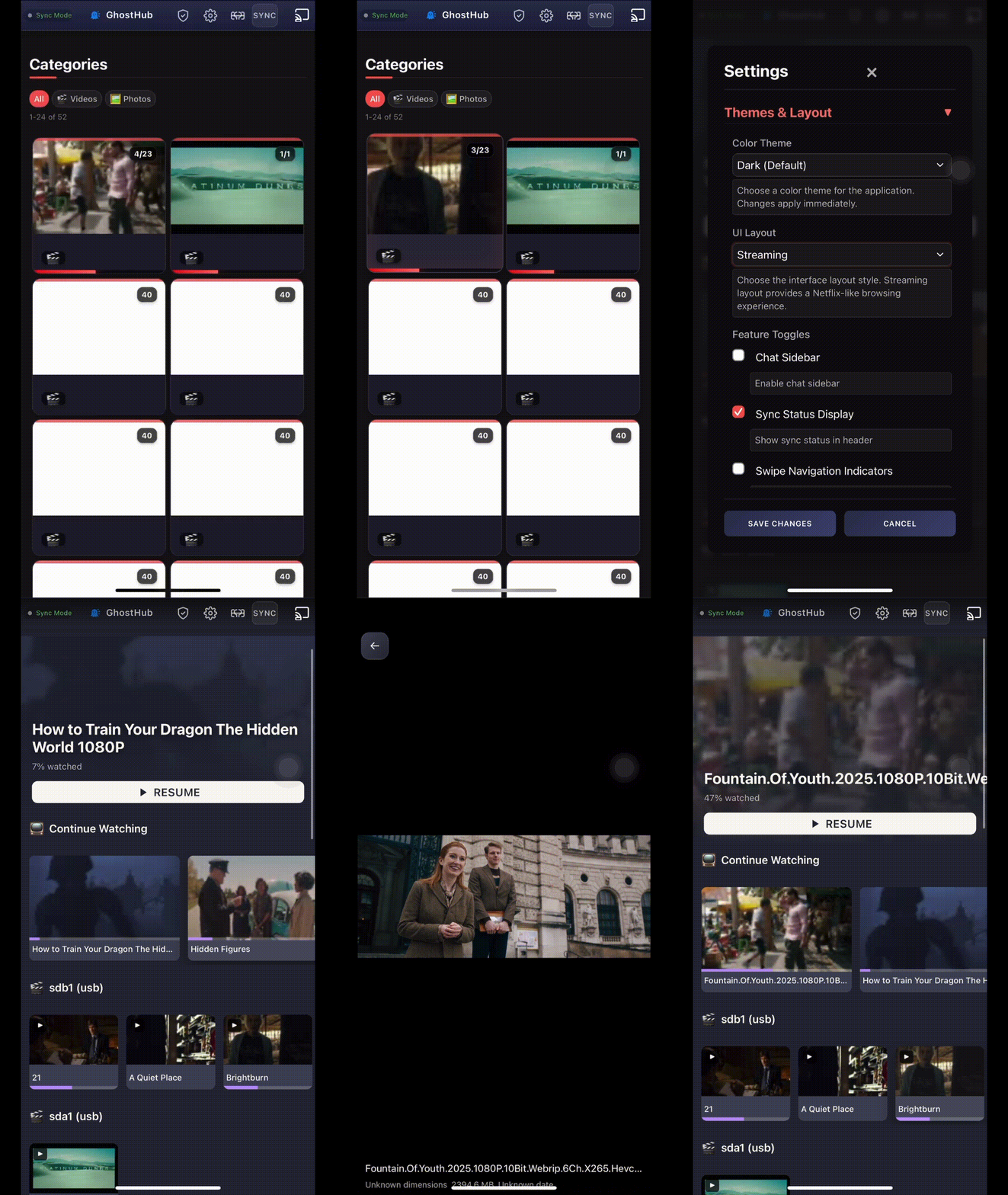 Switch themes and layouts instantly—no reload needed.
Five Themes, Zero Friction
Dark is the default, but there's also Midnight for late nights, Nord if you want something calmer, Monokai for that code editor warmth, and Dracula because it's a classic.
Switch between them instantly from the settings. If you're using GhostHub as a PWA, the browser toolbar even changes to match. Small detail, but it feels right.
Streaming Layout
This one I'm really proud of. Flip the layout toggle and GhostHub transforms into something that feels like Netflix or HBO Max—horizontal rows, a big hero section, the works.
The hero shows your most recently watched video with a resume button right there. Below that, a Continue Watching row pulls in everything you've started across all categories. Each card has a progress bar so you know exactly where you left off.
Category rows show your actual files instead of folder cards. Videos get a play badge, images get their own indicator. Scroll sideways to load more, and everything lazy-loads so it stays fast even with big libraries.
Progress That Just Works
I hated losing my spot in videos. So GhostHub saves your progress automatically—on play, pause, seek, and every few seconds while you're watching. Close the tab, come back later, and you're right where you left off.
For admins, progress saves to the server so it follows you across devices. Guests get their own local progress in the browser. Everyone gets their own "continue watching" without stepping on each other.
Toggle What You Need
Not everyone wants every UI element. You can show or hide the chat, sync status indicator, swipe arrows, and header branding. Keep what you use, hide what you don't.
All From the UI
Everything here is configurable from the web interface. No config files to edit, no restarts. Just open settings and make it yours.
Ghost on. 👻