GhostHub 2.0: TV Casting, Continue Watching, and More
By Ghosthub
The biggest GhostHub update yet. Cast to your TV, pick up where you left off, create playlists on the fly, and search your entire library instantly.
The 2.0 Vision
When I first built GhostHub, the goal was simple: make sharing and viewing your own media as easy as possible. No accounts, no setup, just your files in a swipeable interface. But as I kept using it, I kept thinking—what if it could do more without losing that simplicity?
That's what 2.0 is all about. It's still the same GhostHub at its core, but now it feels like a proper media experience. Let me walk you through what's new.
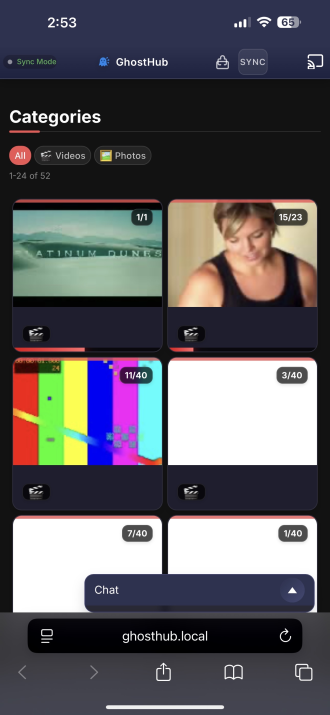 The refreshed 2.0 interface—clean, fast, and ready to go.
TV Casting: Your Phone is the Remote
This one's been on my wishlist forever. Plug your GhostHub Pi into your TV via HDMI, and it boots into kiosk mode—a dedicated display ready to receive media. Then from your phone, just hit Cast on any media and it shows up on the big screen.
You control everything from your device: play, pause, seek. It's like having your own local Chromecast, except you own it and nothing leaves your network. Only the admin can cast, so guests can't hijack your TV mid-movie.
Continue Watching: Pick Up Where You Left Off
Ever close a video halfway through and lose your spot? Not anymore. GhostHub now tracks your progress with a SQLite backend. Come back later and it remembers exactly where you were.
For guests, there's Session Progress—they get their own local progress stored in their browser. So everyone gets their own "continue watching" without stepping on each other's toes.
Playlists with /add
Here's a fun one. While you're viewing any media, just type /add in the chat and it gets added to a new playlist category. Build collections on the fly without leaving the viewer. Perfect for curating your favorites or queuing up a watch party.
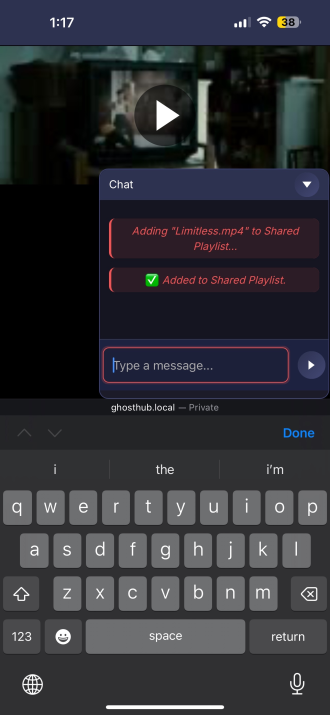 Adding media to a playlist is just a command away.
Instant Search with /find
Got a huge library? The new /find command lets you search your entire collection right from the chat. Type /find sunset and matching media pops up instantly—no need to scroll through categories or remember where you put things.
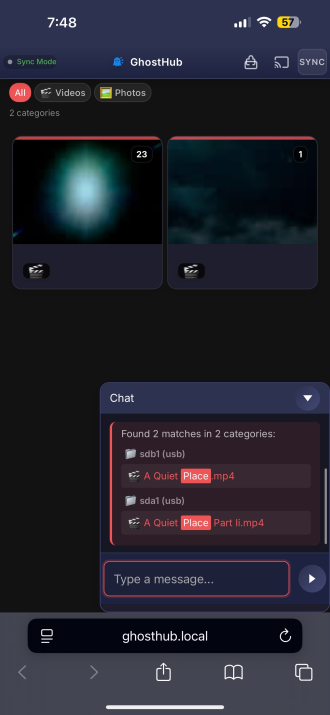 Search your library without leaving the viewer.
Thumbnail Generation
Navigating large libraries is way easier now with auto-generated thumbnails. You can see what's in each category at a glance instead of guessing from filenames.
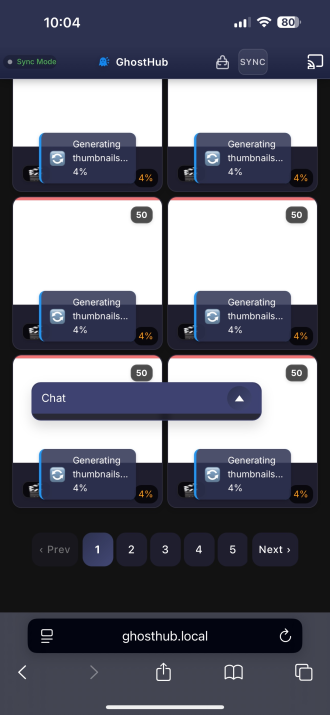 Visual previews make browsing a breeze.
Built for the Pi
GhostHub 2.0 is optimized for Raspberry Pi from the ground up. SQLite with WAL mode means fewer disk writes (your SD card will thank you). Lazy loading keeps memory usage low. It runs smooth even on a Pi 4 with 2GB of RAM.
Dynamic Configuration
No more editing config files. Everything's configurable from the web UI now—shuffle mode, session passwords, cache settings, you name it. Change things on the fly without restarting.
What's Next?
2.0 is the biggest update GhostHub has ever had, but it's not the end. I'm always looking for ways to make it better without making it bloated. If you've got ideas, I'm all ears.
The Pi Edition ships with all of this pre-configured and ready to go. Plug it in, and you've got a personal media server that actually feels personal.
Ghost on. 👻